Seven-Condition Power Bars
Show whether seven trend conditions favor bulls or bears through separate upper and lower brightness bars.
Indicator overview
Use PB7 to see whether several trend conditions point in the same direction. Brighter green segments below mean more conditions support an advance. Brighter red segments above mean more conditions support a decline. Fading color shows that the existing direction is losing support.
It is useful for confirming whether another signal has enough agreement behind it and for spotting weakening participation early. The bars are not standalone entries. When they become extremely bright, check the seven-state rank as well so you do not chase an overextended move.
How to read the chart
- Upper red power bars
- Bearish conditions dominate; brighter means stronger bearish agreement
- Lower green power bars
- Bullish conditions dominate; brighter means stronger bullish agreement
- Dim segments
- Few conditions agree, so trend confirmation is weak
- Multiple thin lanes
- Repeated lanes improve visibility and do not represent extra independent signals
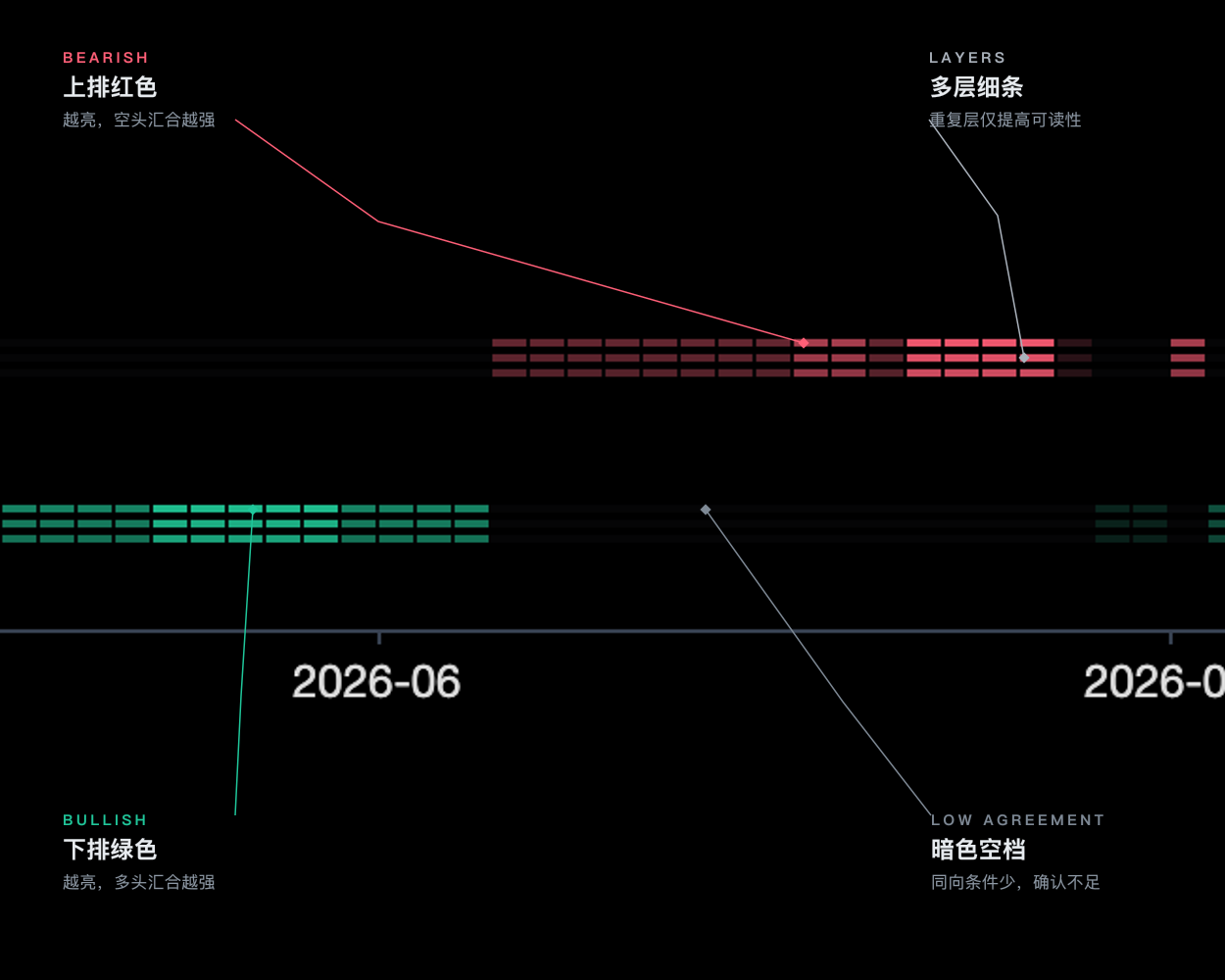
Signal confirmation
Bullish agreement
The lower green row remains visible and becomes brighter
Bearish agreement
The upper red row remains visible and becomes brighter
Further viewing
Watch on YouTubeThis video is for feature guidance only. Use the output and parameters shown on this page as the source of truth.
How to use it
- 01
Use persistent same-direction brightness for confirmation instead of chasing one isolated segment
- 02
Fading green means bullish agreement is falling; it is not automatically a short signal
- 03
Combine PB7 with MFT, VMX, and price structure while remembering the inputs are correlated
- 04
Check the seven-state score when PB7 becomes very bright; rank 1 or 7 warns against chasing an extreme
No-volume symbols, major gaps, and abnormal candles that contaminate all seven inputs together.
Parameter guide
Shows neutral bars when no direction has a clear majority
Controls visual lane count without changing calculations
For technical-analysis education only, not investment advice. Use independent judgment and risk controls.